
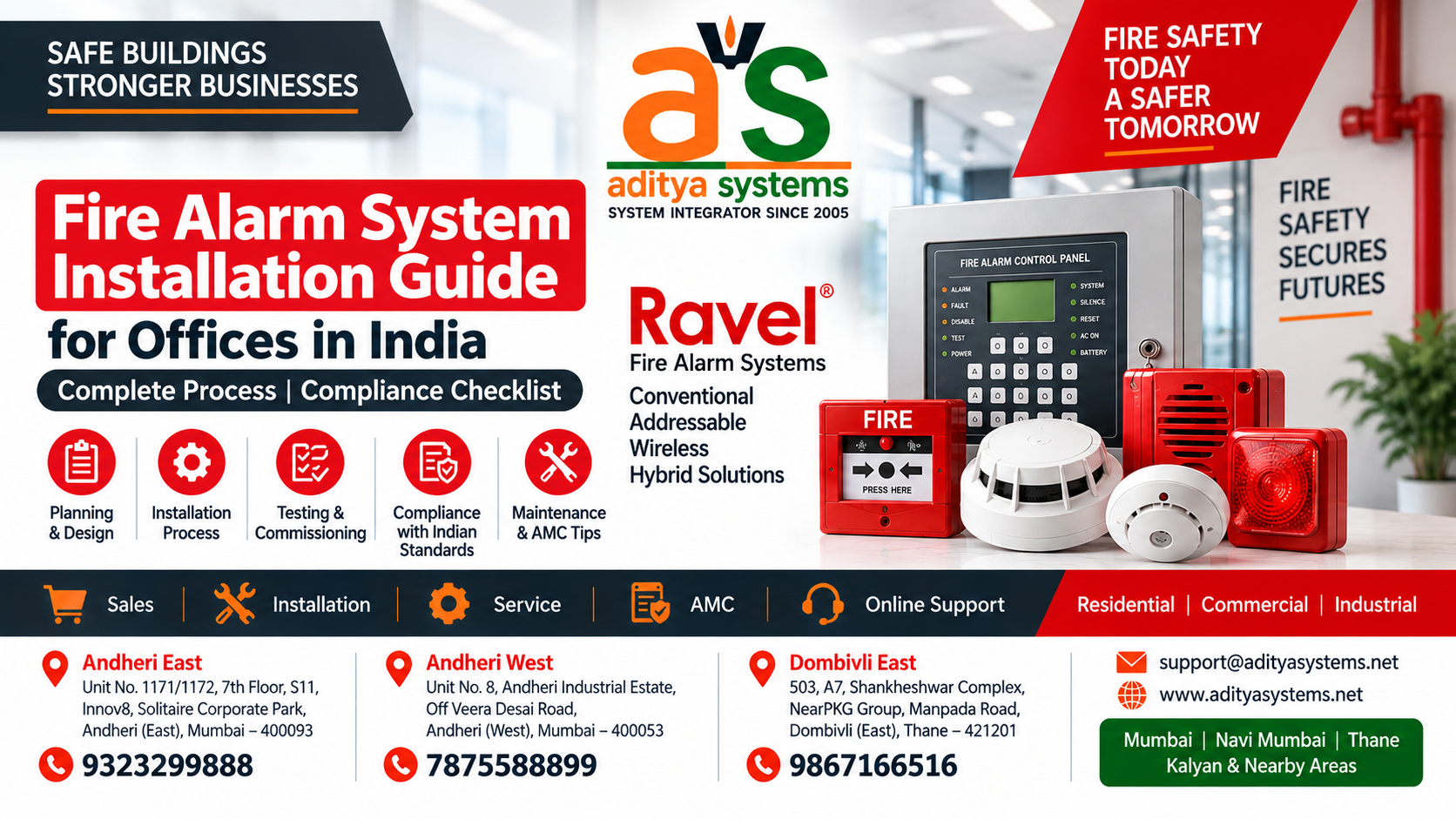
Fire Alarm System Installation Guide for Offices in India: Complete Process & Compliance Checklist
Fire Alarm System Installation Guide for Offices in India: Complete Process & Compliance Checklist
Why Fire Alarm Systems Are Critical for Indian Offices
Fire safety is not optional for office buildings in India. Every year, workplace fires cause significant losses—both in terms of property damage and human safety. A properly installed fire alarm system is your first line of defense, providing early warning that gives occupants time to evacuate safely.
Unlike passive fire safety measures, an active fire alarm system detects smoke or heat in real time and alerts everyone in the building immediately. This difference between early detection and delayed discovery can mean the difference between a controlled evacuation and a tragedy.
For office managers and business owners, understanding fire alarm installation is essential. You need to know what's involved, what compliance standards apply, how systems integrate with your existing security infrastructure, and what realistic costs look like. This guide walks you through each of these factors so you can make informed decisions before contacting vendors.
Types of Fire Alarm Systems: Which One Do You Need?
Conventional Fire Alarm Systems
Conventional systems divide your office into zones. When a detector in a zone triggers, the control panel lights up that zone number, telling you roughly where the fire is. These systems are simpler, less expensive, and work well for smaller to medium-sized offices.
The trade-off: you don't know exactly which detector triggered, only which zone. If a zone covers a large area, you may need to search to find the actual fire source.
Addressable Fire Alarm Systems
Addressable systems assign a unique address to each detector. When one triggers, the control panel displays the exact location—"Detector 47, Floor 3, Conference Room B." This precision is invaluable in larger buildings where speed matters.
Addressable systems also offer advanced features: they can integrate with building management systems, trigger automatic door locks, activate emergency lighting, and send alerts to your phone. The cost is higher, but so is the capability.
Wireless Fire Alarm Systems
Wireless systems eliminate the need for running cables through walls and ceilings. Detectors communicate via radio signals to a central hub. Installation is faster and less disruptive, making wireless ideal for retrofitting existing offices or heritage buildings where drilling is restricted.
Wireless systems work well for small to medium offices. For large, multi-floor buildings, wired systems often remain more reliable due to signal consistency.
Hybrid Systems
Many modern offices use hybrid setups: wired addressable systems in core areas with wireless detectors in hard-to-reach zones. This balances cost, coverage, and installation complexity.
Fire Alarm Installation Process: Step-by-Step Breakdown
Step 1: Site Assessment and Planning
Before any installation begins, a qualified technician surveys your office. They assess:
- Building layout, floor count, and square footage
- Ceiling height and construction materials
- Existing electrical infrastructure
- Locations of high-risk areas (server rooms, kitchens, storage)
- Accessibility for running cables (if wired system)
- Integration points with existing security systems
This assessment determines system type, detector placement, cable routing, and control panel location. A proper assessment prevents costly mistakes later.
Step 2: System Design and Approval
Based on the assessment, the installer designs a system layout showing:
- Detector locations and types
- Cable routes and conduit paths
- Control panel placement
- Backup power supply location
- Integration points with CCTV, access control, or intercom systems
This design must comply with Indian fire safety standards (covered in the next section). Many offices require approval from local fire authorities before installation begins.
Step 3: Equipment Procurement
Once the design is approved, the installer procures:
- Fire alarm control panel
- Smoke detectors (ionization or photoelectric)
- Heat detectors (for kitchens or high-temperature areas)
- Manual call points (break-glass stations)
- Alarm bells or sirens
- Backup power supply (battery or generator)
- Cables, conduit, and mounting hardware
Quality matters here. Certified detectors from established manufacturers ensure reliability when you need it most.
Step 4: Installation and Wiring
For wired systems, technicians run cables through walls, ceilings, and conduit. Detectors are mounted at strategic points—typically on ceilings in open areas, near potential fire sources in kitchens, and in enclosed spaces like server rooms.
For wireless systems, detectors are simply mounted and paired with the control panel via radio frequency.
Manual call points are installed at exits and in high-traffic areas so anyone can trigger an alarm if they spot a fire.
Step 5: Control Panel Setup and Configuration
The control panel is the brain of the system. Technicians:
- Connect all detectors and alarm devices
- Program zone assignments and detector addresses
- Set sensitivity levels appropriate for your office environment
- Configure integration with other security systems (CCTV, access control)
- Install backup power and test battery functionality
- Program emergency contact numbers and alert routing
Step 6: Testing and Commissioning
Before handover, the entire system is tested:
- Each detector is tested individually using smoke or heat simulators
- Alarm bells and sirens are verified
- Manual call points are tested
- Backup power is tested under load
- Integration with other systems is verified
- Documentation is prepared showing all test results
This testing phase is critical. It confirms the system works as designed and meets compliance standards.
Step 7: Staff Training and Handover
Your team receives training on:
- How to respond when the alarm sounds
- How to use manual call points
- How to silence false alarms (if applicable)
- How to check system status on the control panel
- Emergency contact procedures
- Basic troubleshooting
Proper training ensures your team responds correctly in an actual emergency.
Fire Safety Compliance Requirements in India
National Building Code (NBC) Standards
India's National Building Code (NBC) mandates fire alarm systems in all commercial buildings above a certain size. The specific requirements depend on building height, occupancy type, and use.
For office buildings, NBC requires:
- Automatic fire detection in all occupied areas
- Manual call points at exits
- Audible and visual alarm signals
- Backup power for at least 24 hours
- Regular testing and maintenance records
Bureau of Indian Standards (BIS)
BIS IS 2189 specifies the design, installation, and maintenance of fire alarm systems. Key requirements include:
- Detectors must be certified to BIS standards
- Installation must follow BIS guidelines for spacing and placement
- Systems must be tested annually by certified professionals
- Maintenance records must be kept for at least 5 years
Local Fire Authority Approval
Most Indian cities require approval from the local fire department before installation. This involves:
- Submitting system design for review
- Obtaining a no-objection certificate (NOC)
- Scheduling inspection after installation
- Receiving a fire safety certificate
The process typically takes 2-4 weeks, depending on your city and the complexity of your system.
Annual Inspection and Maintenance
Once installed, your system must be inspected and tested annually by a certified professional. This includes:
- Testing all detectors
- Checking backup power
- Verifying alarm signals
- Updating maintenance records
- Identifying and fixing any issues
Skipping annual maintenance can void your fire safety certificate and expose your business to liability.
Fire Alarm System Installation Cost: What to Budget
Costs vary widely based on office size, system type, and complexity. Here's what typically affects pricing:
Building Size
Smaller offices (under 5,000 sq ft) with conventional systems may cost ₹80,000 to ₹150,000. Larger offices (20,000+ sq ft) with addressable systems can range from ₹300,000 to ₹800,000 or more. According to industry cost benchmarks, integration with existing security systems typically adds 15-25% to base installation costs.
System Type
Conventional systems are the most affordable. Addressable systems cost 30-50% more but offer better precision and integration. Wireless systems fall in between, with costs depending on coverage area.
Integration Complexity
If you're integrating your fire alarm with existing CCTV cameras, access control, or intercom systems, expect additional costs for:
- Integration hardware and software
- Additional wiring or network infrastructure
- Programming and testing
Integration typically adds 15-25% to the base system cost but provides significant operational benefits.
Installation Timeline
Small offices may be installed in 1-2 weeks. Larger, complex installations can take 4-8 weeks. Faster installation may incur rush fees.
Ongoing Costs
Budget for annual maintenance (typically ₹10,000 to ₹30,000 depending on system size) and occasional repairs or detector replacements.
For a custom quote tailored to your specific office, contact a certified installer who can assess your building and provide detailed pricing.
Common Installation Mistakes to Avoid
Undersizing the System
Choosing a system based on current office size without accounting for future growth is a common mistake. If you plan to expand, design your system with extra capacity. Retrofitting later is expensive.
Poor Detector Placement
Detectors must be placed where fires are likely to start and where smoke/heat will reach them quickly. Common mistakes include:
- Placing detectors too close to air vents (false alarms)
- Mounting detectors on walls instead of ceilings (slower detection)
- Spacing detectors too far apart (coverage gaps)
- Installing detectors in dead zones where smoke won't reach
A professional assessment ensures optimal placement.
Skipping Integration Planning
If you have CCTV cameras, access control, or intercom systems, plan integration during the fire alarm installation. Adding it later is more expensive and disruptive.
Inadequate Backup Power
Battery backup must last at least 24 hours. Undersizing the battery means your system goes silent if power fails during a fire. Verify backup capacity during commissioning.
Neglecting Maintenance
Fire alarm systems require annual testing and maintenance. Skipping this voids your compliance and leaves you vulnerable. Budget for it and schedule it consistently.
Choosing Unqualified Installers
Fire alarm installation must be done by certified professionals who understand local codes and standards. Cheap installation often means poor design, inadequate testing, and future problems.
Integrating Fire Alarms with Your Existing Security Systems
Modern offices benefit from integrated security. Your fire alarm system can work efficiently with:
CCTV Cameras
When the fire alarm triggers, CCTV systems can automatically:
- Switch to recording mode
- Focus on exit routes and assembly areas
- Send video feeds to emergency responders
- Create a timestamped record of the evacuation
CP Plus IP cameras, for example, can be configured to activate recording and adjust focus when integrated with fire alarm systems. This integration helps with post-incident analysis and liability protection.
Access Control Systems
Integration allows:
- Automatic unlocking of emergency exits when alarm sounds
- Preventing elevator use during fire (directing people to stairs)
- Logging who evacuated and when
- Restricting re-entry until all-clear is given
Intercom and PA Systems
Fire alarms can trigger automatic announcements through systems like PHONOMAX intercom solutions:
- "Evacuate immediately. Use stairs, not elevators."
- "Assembly point is in the parking lot."
- "Emergency services have been contacted."
Clear, consistent messaging reduces panic and improves evacuation efficiency.
Building Management Systems
Integration with BMS allows:
- Automatic shutdown of HVAC systems (preventing smoke spread)
- Activation of emergency lighting
- Notification to building management and security
- Remote monitoring and diagnostics
Case Study: Integrated Security in Action
Consider a 15,000 sq ft office building with addressable fire alarms, CP Plus IP cameras, and PHONOMAX intercom. When a fire is detected on Floor 2:
1. Fire alarm triggers immediately, alerting all occupants
2. CP Plus cameras automatically switch to recording and focus on stairwells and exits
3. PHONOMAX intercom broadcasts evacuation instructions
4. Access control unlocks emergency exits and prevents elevator use
5. Building management system receives real-time alerts
6. Security team monitors evacuation via camera feeds
7. Emergency services receive timestamped video and location data
This integrated approach reduces response time, improves safety, and provides complete documentation. Aditya Systems specializes in designing these integrated security ecosystems. Our experience with CP Plus CCTV cameras, PHONOMAX intercom infrastructure, and biometric attendance systems means we understand how to design fire alarm systems that work reliably with your existing setup. When you're planning a fire alarm installation, consider how it will integrate with your broader security ecosystem.
Maintenance, Testing & Ongoing Support
Monthly Checks
Your facilities team should:
- Visually inspect detectors for dust or obstruction
- Verify the control panel shows normal status
- Check that manual call points are accessible
- Confirm backup power indicator is lit
Annual Professional Testing
A certified technician must:
- Test each detector with smoke or heat simulator
- Verify alarm signals (bells, sirens, lights)
- Load-test backup power
- Check all wiring and connections
- Update maintenance records
- Identify any issues and recommend repairs
If your system is integrated with CP Plus cameras or PHONOMAX intercom, the technician should also verify that integration triggers work correctly during testing.
Detector Replacement
Smoke detectors typically last 8-10 years. Heat detectors last longer. Plan for periodic replacement as part of your maintenance budget.
System Upgrades
As your office evolves, your fire alarm system may need upgrades:
- Adding detectors for new areas
- Upgrading to addressable technology
- Integrating with new security systems
- Improving backup power capacity
Regular maintenance helps identify upgrade needs before they become urgent.
Frequently Asked Questions About Fire Alarm Installation
Q: How long does fire alarm installation take?
A: Small offices typically take 1-2 weeks. Larger buildings with complex layouts may take 4-8 weeks. The timeline depends on system type, building size, and whether integration with other systems is required.
Q: Can I install a fire alarm system myself?
A: No. Fire alarm installation must be done by certified professionals who understand local codes and standards. DIY installation voids compliance and puts your office at risk.
Q: What's the difference between smoke and heat detectors?
A: Smoke detectors respond to visible smoke particles and are used in most office areas. Heat detectors respond to temperature rise and are used in kitchens or areas where smoke detectors would trigger false alarms.
Q: Do I need both wired and wireless detectors?
A: Most offices use one or the other. Hybrid systems (mixing wired and wireless) are possible but add complexity. Your installer will recommend the best approach for your building.
Q: How often must the system be tested?
A: Annual professional testing is required by Indian standards. Monthly visual checks by your facilities team are also recommended.
Q: What happens if the power goes out?
A: Backup batteries keep the system running for at least 24 hours. If power is out longer, the system will eventually lose power, but by then emergency services should be responding.
Q: Can fire alarms integrate with my CCTV system?
A: Yes. Modern systems can integrate with CCTV, access control, intercoms, and building management systems. Integration is planned during the design phase. CP Plus IP cameras and other modern systems support this integration.
Q: What's the cost of annual maintenance?
A: Typically ₹10,000 to ₹30,000 per year, depending on system size and complexity. This includes professional testing, detector checks, and any minor repairs.
Q: Do I need local fire authority approval?
A: Yes. Most Indian cities require approval before installation and inspection after completion. Your installer handles this process.
Q: What should I do if the alarm sounds?
A: Evacuate immediately using the nearest exit. Do not use elevators. Proceed to the designated assembly point. Do not re-enter until emergency services give the all-clear.
Q: How do I know if my system is working?
A: The control panel displays system status. A green light means normal operation. Any red light or alarm indicates a problem. Monthly visual checks and annual professional testing confirm functionality.
Q: Can wireless systems work in large buildings?
A: Wireless systems work well for small to medium buildings. For large, multi-floor buildings, wired systems are often more reliable due to consistent signal strength.
Q: What if I get false alarms?
A: False alarms usually result from dust, steam, or detector placement issues. Your installer can adjust sensitivity or relocate detectors. Proper maintenance reduces false alarms significantly.
Q: Is backup power required?
A: Yes. Indian standards require backup power for at least 24 hours. This ensures the system continues operating if main power fails.
Q: How do I choose between conventional and addressable systems?
A: Conventional systems work well for small offices (under 10,000 sq ft) with simple layouts. Addressable systems are better for larger buildings where precise detector location matters. Consider your office size, budget, and integration needs.
Q: What happens during the fire authority inspection?
A: Inspectors verify that your system meets NBC and BIS standards. They test detectors, check backup power, review documentation, and ensure proper placement. A passing inspection results in a fire safety certificate valid for 1-2 years.
Q: Can I integrate fire alarms with my existing intercom system?
A: Yes. If you have a PHONOMAX intercom or similar system, fire alarms can trigger automatic announcements. This requires integration planning during installation.
Ready to Upgrade Your Office Fire Safety?
Fire alarm installation is a significant decision that affects your office safety, compliance, and operational efficiency. The right system—properly designed, installed, and maintained—provides peace of mind and protects your team.
If you're planning a fire alarm installation or upgrading an existing system, start with a professional site assessment. A qualified installer will evaluate your building, explain your options, and provide a detailed quote based on your specific needs.
Aditya Systems brings expertise in integrated security solutions. Whether you're installing a standalone fire alarm system or integrating it with CP Plus CCTV cameras, PHONOMAX intercom systems, or biometric attendance infrastructure, our team understands how to design solutions that work together reliably. We serve offices across India and can guide you through the entire process—from initial assessment to compliance approval to ongoing maintenance.
Ready to discuss your fire safety needs?
Schedule a free fire safety assessment with Aditya Systems. Our team will evaluate your office layout, recommend the right system for your building, and provide a custom quote that fits your budget. We'll ensure your fire alarm system integrates smoothly with your existing security infrastructure.
Contact Aditya Systems today:
- Call us for a consultation
- Email your building details for a preliminary assessment
- Visit our office to discuss your security and safety needs
We'll help you choose the right fire alarm system and ensure your office meets all compliance requirements while protecting your team.