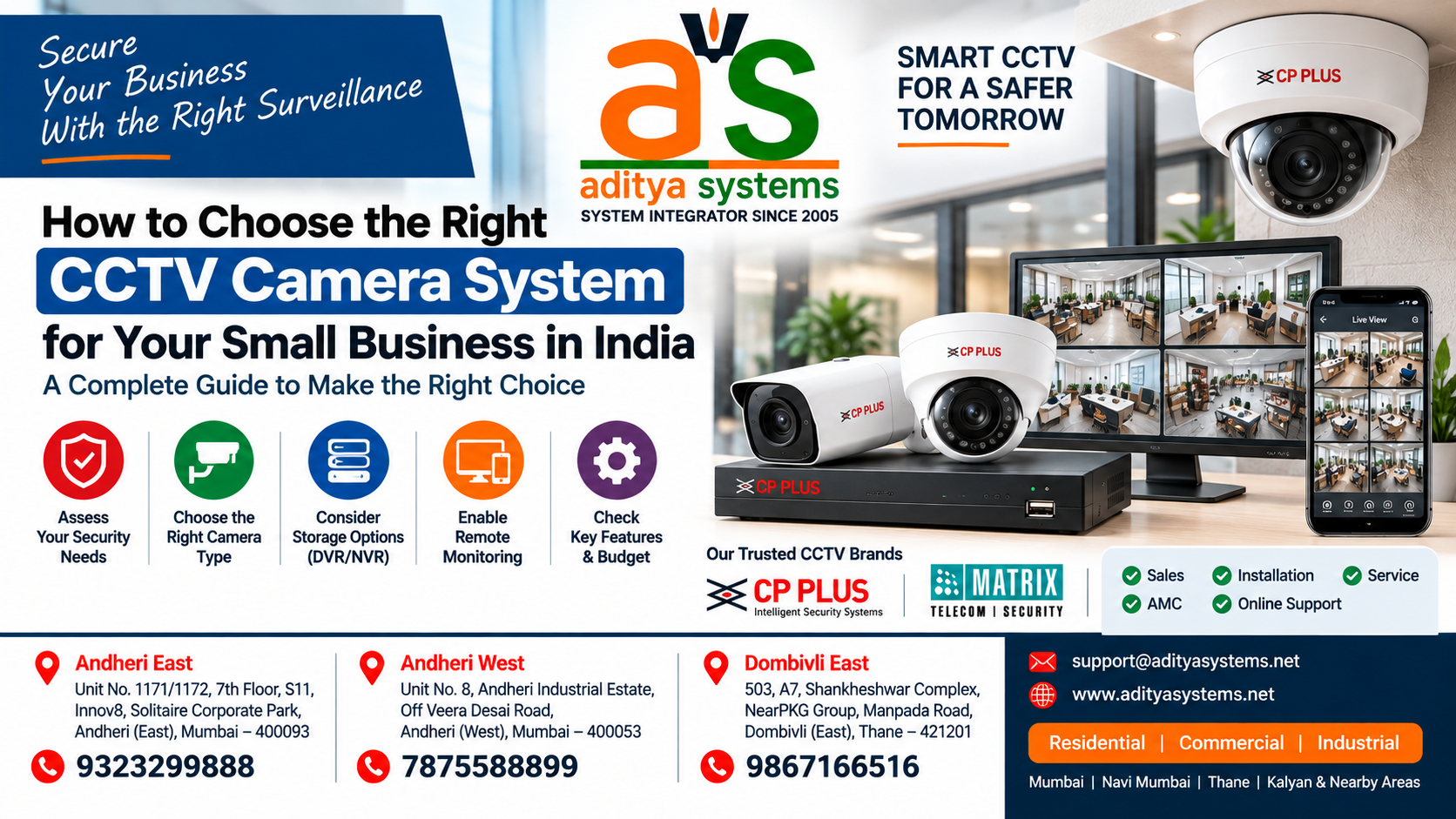
How to Choose the Right CCTV Camera System for Your Small Business in India
Small business owners face a critical decision when it comes to security: investing in the right CCTV system can prevent losses, protect assets, and provide peace of mind. But with dozens of camera types, brands, storage options, and installation methods available in India, the choice can feel overwhelming.
This guide walks you through the key factors to evaluate when selecting a CCTV system that matches your needs, budget, and facility layout. Whether you’re protecting a retail store, warehouse, office, or service center, you’ll learn what matters and what doesn’t. At Aditya Systems, we help businesses in India navigate these decisions by providing expert assessment, quality products, and professional installation.
Why Small Businesses Need CCTV Systems
Before diving into selection criteria, it’s worth understanding why CCTV matters. A functioning surveillance system serves multiple purposes:
Loss Prevention: Visible cameras deter theft and unauthorized access. Businesses with documented CCTV systems experience fewer security incidents.
Evidence & Investigation: When incidents occur, recorded footage provides clear evidence for police, insurance claims, and internal investigations.
Employee Accountability: Cameras in common areas encourage responsible behavior and protect against false claims.
Insurance Benefits: Many insurers offer premium discounts for businesses with documented surveillance systems.
Remote Monitoring: Modern systems allow you to check your facility from anywhere, anytime—critical for multi-location businesses or after-hours monitoring.
The question isn’t whether you need CCTV; it’s which system fits your specific situation.
Understanding CCTV Camera Types & Technologies
Not all cameras are the same. The first decision is understanding what’s available.
IP Cameras vs. Analog Cameras
IP Cameras (Network Cameras)
- Connect directly to your network (WiFi or Ethernet)
- Send video as digital data to a Network Video Recorder (NVR) or cloud storage
- Higher resolution (typically 2MP to 8MP and beyond)
- Better image quality, especially in low light
- Easier to expand—add cameras without running new cables
- More expensive upfront
- Require stable internet for remote access
Analog Cameras
- Connect via coaxial cable to a DVR (Digital Video Recorder)
- Lower resolution (typically 720p to 1080p)
- Cheaper upfront cost
- Simpler installation in some cases
- Limited remote access
- Harder to expand without additional cabling
- Becoming less common as IP technology improves
Recommendation for Most Small Businesses: IP cameras are now the standard choice. They offer better image quality, easier expansion, and remote access—features that matter as your business grows.
Wired vs. Wireless Systems
Wired Systems
- Cameras connected via Ethernet cable (PoE—Power over Ethernet) or coaxial cable
- Reliable, stable connection
- No WiFi dependency
- Requires cable runs through walls, ceilings, or conduits
- Higher installation cost
- More permanent installation
Wireless Systems
- Cameras connect via WiFi
- Easier installation—no cable runs needed
- Lower installation cost
- Dependent on WiFi signal strength
- Potential interference issues
- Better for temporary or flexible setups
Recommendation: For permanent business installations, wired PoE systems are more reliable. Wireless works well for temporary monitoring or areas where cabling is impractical.
Key Features to Evaluate When Choosing CCTV
Once you understand camera types, evaluate these specific features:
Resolution (MP Rating)
Resolution determines image clarity and your ability to identify details.
2MP (1080p)
- Entry-level resolution
- Suitable for general monitoring
- Good for identifying people at close range
- Cost: Lower
- Use case: Small retail stores, offices with limited coverage area
4MP
- Mid-range resolution
- Better detail capture
- Can identify faces from greater distances
- Cost: Moderate
- Use case: Most small businesses, retail, warehouses
8MP and Higher
- High-resolution
- Excellent detail, can zoom into footage without losing clarity
- Identify faces from significant distances
- Cost: Higher
- Use case: Large facilities, areas requiring detailed identification
Decision Framework: For most small businesses, 4MP is the sweet spot—better than 2MP but without the cost premium of 8MP.
Night Vision & Low-Light Performance
If your business operates after dark or has areas with poor lighting:
- IR (Infrared) Range: Look for cameras with 20-30m IR range for outdoor areas
- Low-Light Sensitivity: Measured in lux; lower numbers mean better performance in darkness
- Color Night Vision: Premium cameras maintain color in low light (vs. black & white)
Recommendation: Prioritize IR range based on your facility size. For outdoor perimeters, 30m+ is standard.
Weather Resistance (IP Rating)
If cameras will be outdoors:
- IP65: Dust-tight, water-resistant (suitable for most outdoor use)
- IP67: Dust-tight, can be submerged briefly (heavy rain, water spray)
- IP68: Fully submersible (rarely needed for business CCTV)
Recommendation: IP65 is sufficient for most outdoor business installations in India.
Field of View (FOV)
Wider FOV means one camera covers more area but with less detail. Narrower FOV captures more detail but covers less area.
- Wide (90°+): Covers large areas, good for entry/exit monitoring
- Standard (50-70°): Balanced coverage and detail
- Narrow (30-50°): Focused detail, good for identifying faces
Recommendation: Use a mix. Wide-angle cameras for general area coverage, standard/narrow for detail areas like cash registers or entrances.
Pan-Tilt-Zoom (PTZ) Cameras
PTZ cameras can move and zoom, covering large areas with fewer cameras.
- Advantages: Cover wide areas, can track movement, zoom for detail
- Disadvantages: More expensive, require more bandwidth, need maintenance
- Best for: Large open areas, parking lots, perimeters
Calculating Your CCTV System Requirements
Before shopping, determine what you actually need.
Step 1: Map Your Facility
Draw a simple floor plan or sketch showing:
- Entry and exit points
- High-value areas (cash register, inventory, server room)
- Blind spots or vulnerable areas
- Outdoor perimeter
- Lighting conditions in each area
Step 2: Determine Camera Placement
For each area, decide:
- Coverage type: General monitoring vs. detail capture
- Camera type: Fixed vs. PTZ
- Resolution needed: 2MP, 4MP, or 8MP
- Special requirements: Night vision, weather resistance, etc.
Step 3: Count Cameras Needed
A rough guideline:
- Small retail (500-1000 sq ft): 4-6 cameras
- Medium office (1000-3000 sq ft): 6-10 cameras
- Warehouse (3000+ sq ft): 10+ cameras
These are starting points; your actual need depends on layout and coverage priorities.
Step 4: Calculate Storage Requirements
Storage depends on:
- Number of cameras
- Resolution (4MP uses more storage than 2MP)
- Frame rate (30fps vs. 15fps)
- Retention period (how many days you keep footage)
Rough estimate: A 4MP camera at 30fps uses approximately 100-150 GB per day. For 30 days of storage with 8 cameras, you’d need 24-36 TB of storage.
CCTV Pricing & Budget Planning for Small Business
CCTV costs break down into three categories:
Camera Costs
Camera pricing varies widely based on type, resolution, and features. Entry-level 2MP cameras start lower, while 4MP cameras offer better detail at moderate cost. 8MP and higher-resolution options provide premium image quality for detail-critical applications. For current pricing on specific models, contact Aditya Systems for a custom quote based on your facility requirements.
Storage & Recording Equipment
NVR (Network Video Recorder)
Network Video Recorders are the standard for IP camera systems. Channel capacity ranges from 4-channel units for small installations to 32+ channel systems for larger facilities. The right NVR depends on your camera count and storage needs.
Storage Drives
Surveillance-grade hard drives are essential for 24/7 recording reliability. Storage requirements depend on camera count, resolution, frame rate, and retention period. For 8 cameras with 30-day retention, budget accordingly for surveillance-grade drives.
Installation & Setup
- Professional installation: Varies based on facility complexity, cable routing, and network setup
- Cable, conduit, mounting hardware: Depends on facility size and layout
- Network setup & configuration: Essential for proper system performance
Total Budget Estimate
For a typical small business (8 cameras, 4MP, 30-day storage):
- Budget range: ₹1,50,000-₹3,50,000 (approximate market range)
- Low-end: Basic 2MP system with minimal storage
- Mid-range: 4MP system with adequate storage and professional installation
- High-end: 4MP+ system with redundancy, cloud backup, and advanced features
Recommendation: Don’t cut corners on cameras and storage. These are the core of your system. Professional installation is worth the cost to avoid problems later. Contact Aditya Systems for current pricing and a custom quote based on your specific needs.
Wired PoE vs. Wireless: Which System Type Suits Your Business?
This decision significantly impacts installation cost and reliability.
Wired PoE Systems
Advantages:
- Stable, reliable connection
- No WiFi interference
- Single cable carries power and data
- Professional appearance
- Better for permanent installations
Disadvantages:
- Higher installation cost (cable runs, conduit)
- Requires planning before installation
- Harder to relocate cameras
Best for: Permanent business installations, facilities with existing network infrastructure, outdoor perimeters.
Wireless Systems
Advantages:
- Lower installation cost
- Easy to add or relocate cameras
- No cable runs needed
- Good for temporary monitoring
Disadvantages:
- Dependent on WiFi signal
- Potential interference
- May have latency issues
- Less reliable than wired
Best for: Temporary setups, areas where cabling is impractical, small single-room monitoring.
Recommendation for Small Business: Start with wired PoE if possible. The upfront cost is higher, but reliability and long-term performance justify the investment. Wireless works as a supplement for specific areas.
IP Cameras vs. Analog: Technical Comparison
While analog is becoming obsolete, some businesses still consider it. Here’s the comparison:
| Feature | IP Cameras | Analog Cameras |
|———|———–|—————-|
| Resolution | 2MP-8MP+ | 720p-1080p |
| Image Quality | Excellent | Good |
| Remote Access | Yes (via network) | Limited |
| Scalability | Easy (add cameras) | Difficult (new cables) |
| Installation | Moderate | Simple (but cable-heavy) |
| Cost | Higher upfront | Lower upfront |
| Future-proof | Yes | No |
| Low-light Performance | Better | Adequate |
Clear Winner: IP cameras are the modern standard. Unless you have an existing analog system you’re expanding, choose IP.
Storage Solutions: NVR, DVR & Cloud Options
Your footage needs somewhere to live.
Network Video Recorder (NVR)
- Records video from IP cameras
- Stores on internal hard drives
- Allows playback and search
- Can be accessed remotely
- Cost: Varies by channel capacity and features
Best for: Most small businesses. Local storage is reliable and doesn’t depend on internet.
Digital Video Recorder (DVR)
- Records video from analog cameras
- Older technology
- Limited remote access
- Becoming obsolete
Best for: Expanding existing analog systems only.
Cloud Storage
- Video uploaded to cloud servers
- Accessible from anywhere
- No local storage needed
- Monthly subscription cost
- Dependent on internet bandwidth
Best for: Supplement to local storage, not primary storage. Useful for backup and remote access.
Recommendation: Use local NVR storage as your primary system. Add cloud backup for critical footage or remote access needs.
Installation Considerations & Timeline
Proper installation determines system performance.
Pre-Installation Planning
1. Site survey: Professional assessment of facility, lighting, cable routes
2. Network assessment: Ensure adequate bandwidth for cameras
3. Power planning: Identify PoE switch location, power requirements
4. Cable routing: Plan cable paths to minimize visibility and damage risk
Installation Timeline
- Small system (4-6 cameras): 1-2 days
- Medium system (8-12 cameras): 2-3 days
- Large system (16+ cameras): 3-5 days
Timeline depends on facility complexity, cable routing difficulty, and network setup.
Post-Installation
- Configuration: Camera settings, recording schedules, alerts
- Network setup: Remote access, cloud integration
- Testing: Verify all cameras, storage, and remote access
- Training: Staff training on system use and footage access
Recommendation: Use a professional installer. DIY installation often leads to poor camera angles, inadequate coverage, and network problems.
Common CCTV Selection Mistakes to Avoid
Learning from others’ mistakes saves money and frustration.
Mistake 1: Choosing Cameras Based on Price Alone
The cheapest camera often has poor image quality, limited features, and short lifespan. A slightly more expensive camera from a reputable brand provides better value over time.
Mistake 2: Insufficient Resolution
Choosing 2MP cameras to save money often leads to regret. When you need to identify a face or license plate, low resolution makes it impossible. Invest in 4MP as a minimum.
Mistake 3: Inadequate Storage
Running out of storage and losing footage is a common problem. Calculate storage needs generously and add 20% buffer. Surveillance-grade drives are worth the cost.
Mistake 4: Poor Camera Placement
Cameras pointed at walls, with glare, or at wrong angles waste coverage. Professional installation ensures optimal placement.
Mistake 5: Ignoring Network Requirements
IP cameras require adequate network bandwidth. Overloading your network with cameras causes lag and dropped frames. Assess your network before installation.
Mistake 6: No Backup or Redundancy
If your NVR fails, you lose all footage. Consider RAID storage or cloud backup for critical footage.
Mistake 7: Skipping Professional Installation
DIY installation saves money upfront but often costs more in problems, poor coverage, and system failures. Professional installation is an investment, not an expense.
Top CCTV Solutions Available in India
Aditya Systems carries solutions from leading manufacturers to meet different business needs:
ESSL Solutions
ESSL is known for integrated security solutions combining CCTV with access control and biometric systems:
- ESSL VEGA+W+POE: Integrated solution for businesses needing combined surveillance and access control
- ESSL F18: Attendance and access control system
ESSL is strong in integrated security solutions for businesses that need both surveillance and personnel management.
Biomax Solutions
Biomax specializes in biometric and multi-modal security:
- Biomax Multibio 900: Multi-modal biometric system for access control and attendance
Useful for businesses needing both surveillance and advanced access control with biometric verification.
CP Plus Solutions
CP Plus offers a range of camera solutions. Aditya Systems carries CP-series cameras including:
- CP-UNC-TA21L3C-Q: Professional-grade IP camera
- CP-UNC-TA21L3C-LQ: IP camera for flexible monitoring
- CP-UNC-DA21L3C-Q: Specialized camera solution
CP Plus cameras are known for reliability and good value in the Indian market.
Note: Aditya Systems carries these solutions and can advise on which fits your specific needs. For current product availability and pricing, contact Aditya Systems directly for a custom assessment.
Maintenance, Support & Warranty Factors
Your system needs ongoing care.
Regular Maintenance
- Monthly: Check camera lenses for dirt/dust, verify recording
- Quarterly: Test remote access, check storage usage
- Annually: Professional inspection, firmware updates, drive health check
Warranty & Support
- Camera warranty: Typically 1-3 years
- NVR warranty: Typically 1-3 years
- Extended warranty: Available for additional cost
- Support options: Phone, email, on-site service
Recommendation: Choose brands with local support in India. Aditya Systems provides support for the solutions they install and carry.
When to Upgrade
Consider upgrading when:
- Cameras are 5+ years old
- Storage is consistently full
- Remote access is unreliable
- New features (like AI detection) would benefit your business
Frequently Asked Questions About CCTV Selection
Q: How many cameras do I actually need?
A: Start with a site survey. A professional can assess your facility and recommend coverage. As a rough guide: small retail needs 4-6 cameras, medium office needs 8-10, larger facilities need more. Prioritize entry/exit points and high-value areas. At Aditya Systems, we conduct professional site assessments to determine your exact needs.
Q: Can I mix camera brands in one system?
A: Yes, if they use the same NVR platform (IP-based). However, using the same brand simplifies compatibility and support. Check with your installer before mixing brands.
Q: What internet speed do I need for remote access?
A: For 8 cameras at 4MP, you need at least 5-10 Mbps upload speed. Check your internet plan’s upload speed (not just download). Many home/small business plans have weak upload speeds.
Q: How long should I keep footage?
A: Most businesses keep 30 days. Some keep 60-90 days for high-value areas. Balance storage cost with your actual needs. Insurance may have requirements.
Q: Is cloud storage necessary?
A: No, but it’s useful for backup and remote access. Local NVR storage is primary; cloud is supplementary. Cloud costs vary based on cameras and retention period.
Q: Can I install CCTV myself?
A: Technically yes, but professional installation is recommended. Poor installation leads to bad angles, network problems, and wasted coverage. The cost of professional installation is worth avoiding these issues.
Q: What’s the difference between PoE and WiFi cameras?
A: PoE cameras use a single Ethernet cable for power and data—more reliable and stable. WiFi cameras are easier to install but depend on WiFi signal and are less reliable. For permanent installations, PoE is better.
Q: Do I need a separate NVR or can I use a computer?
A: A dedicated NVR is better. It’s optimized for 24/7 recording, has redundancy features, and doesn’t depend on a computer being on. Using a computer is cheaper but less reliable.
Q: What resolution should I choose?
A: For most small businesses, 4MP is the sweet spot. It provides good detail without excessive storage costs. 2MP is acceptable for general monitoring; 8MP is for detail-critical areas.
Q: How do I know if my network can handle IP cameras?
A: Each 4MP camera at 30fps uses roughly 4-8 Mbps. For 8 cameras, you need 32-64 Mbps available bandwidth. Check your network capacity or have a professional assess it.
Q: What happens if my internet goes down?
A: Local NVR storage continues recording. Remote access won’t work until internet is restored. This is why local storage is primary—you’re not dependent on internet for recording.
Q: Can CCTV help with insurance claims?
A: Yes. Clear footage is valuable evidence. Some insurers offer discounts for documented CCTV systems. Check with your insurer about requirements.
Q: Why should I choose Aditya Systems for my CCTV installation?
A: Aditya Systems provides professional site assessments, quality products from trusted manufacturers, expert installation, and ongoing support. We help you select the right system for your specific business needs rather than overselling unnecessary features. Our team understands the Indian market and can guide you through the entire process from assessment to implementation.
Your CCTV Selection Checklist
Use this checklist before making a purchase decision:
Facility Assessment
- [ ] Facility size and layout mapped
- [ ] High-value areas identified
- [ ] Lighting conditions assessed
- [ ] Network infrastructure evaluated
- [ ] Budget determined
Camera Selection
- [ ] Camera type chosen (IP recommended)
- [ ] Resolution decided (4MP recommended for most)
- [ ] Wired vs. wireless decided
- [ ] Night vision requirements identified
- [ ] Weather resistance requirements identified
- [ ] Number of cameras calculated
System Planning
- [ ] NVR capacity determined
- [ ] Storage requirements calculated
- [ ] Retention period decided (30 days typical)
- [ ] Remote access needs identified
- [ ] Cloud backup needs identified
Installation & Support
- [ ] Professional installer selected
- [ ] Installation timeline confirmed
- [ ] Warranty and support options reviewed
- [ ] Maintenance plan established
- [ ] Staff training scheduled
Budget Verification
- [ ] Camera costs confirmed
- [ ] NVR and storage costs confirmed
- [ ] Installation costs confirmed
- [ ] Total budget within limits
- [ ] Financing options explored if needed
Next Steps: Implementation & Support
Once you’ve decided on your system, here’s how to move forward:
Step 1: Get a Professional Assessment
Contact Aditya Systems for a site survey. A professional assessment identifies your actual needs, optimal camera placement, and realistic costs. This assessment helps prevent expensive mistakes and ensures you invest in the right solution.
Step 2: Request a Detailed Quote
Based on the assessment, request a detailed quote including:
- Specific products and quantities
- NVR and storage specifications
- Installation timeline and cost
- Warranty and support details
- Any additional services (network setup, training, etc.)
Aditya Systems provides custom quotes based on your facility and specific requirements.
Step 3: Review & Approve
Review the quote carefully. Ensure it includes everything discussed. Ask questions about anything unclear. A good provider will explain every line item.
Step 4: Schedule Installation
Once approved, schedule installation at a time that minimizes business disruption. Professional installation typically takes 1-3 days depending on system size.
Step 5: Training & Handover
After installation, ensure your staff is trained on:
- Accessing live video
- Searching and playing back footage
- System maintenance basics
- When to contact support
Step 6: Ongoing Support
Establish a support relationship with your provider. Regular maintenance prevents problems. Aditya Systems provides ongoing support for systems they install, including maintenance, troubleshooting, and upgrades.
Conclusion
Choosing the right CCTV system isn’t complicated once you understand the key factors: camera types, resolution, storage, installation method, and budget. The framework in this guide helps you make an informed decision.
The most important steps are:
1. Assess your actual needs (don’t over-buy or under-buy)
2. Choose quality cameras from reputable brands
3. Invest in professional installation
4. Plan adequate storage
5. Establish ongoing support
Aditya Systems carries solutions from leading manufacturers and can guide you through each step. Whether you need a small 4-camera system or a large 32+ camera installation, the selection process remains the same: understand your needs, choose appropriate technology, and invest in professional implementation.
Ready to secure your business?
Contact Aditya Systems today for a free professional site assessment and custom quote. Our team will help you choose the right system for your specific situation and guide you through the entire implementation process. Call us or visit our website to schedule your consultation—we’ll provide a detailed assessment and quote within 24 hours.
Recent Posts
- EPABX vs IP-PBX: Which Office Phone System Is Right for Your Business in Mumbai?
- Fire Alarm System Installation Guide for Offices in India: Complete Process & Compliance Checklist
- How to Choose the Right CCTV Camera System for Your Small Business in India
- IP CCTV Camera System for Office in Mumbai – Camera, NVR & Installation Guide
- CCTV Camera Repair & Service in Andheri – Aditya Systems