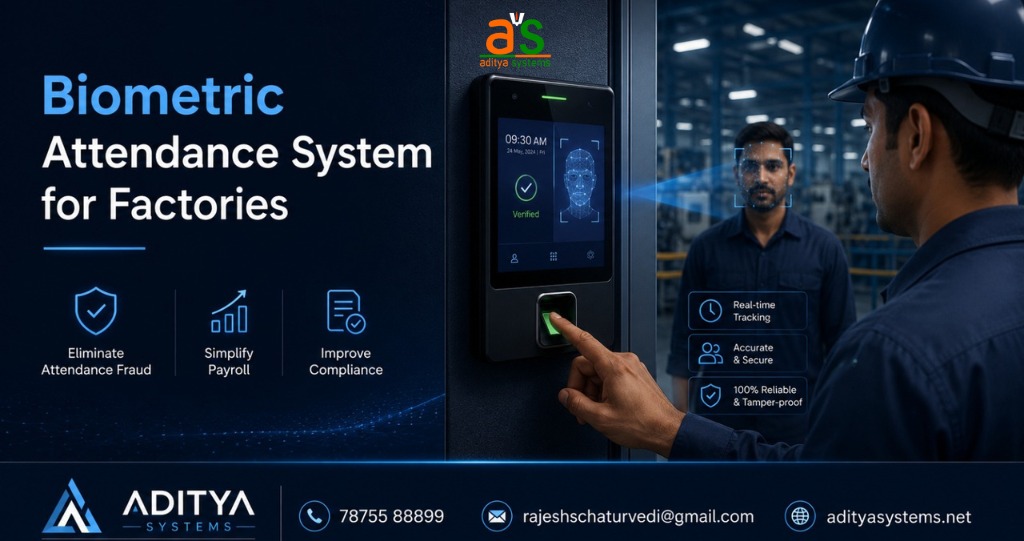
Biometric Attendance System for Factory: Complete Guide to Choosing, Implementing, and Maximizing ROI
Biometric Attendance System for Factory: Complete Guide to Choosing, Implementing, and Maximizing ROI
Factory owners face a persistent challenge: attendance fraud costs money, creates payroll disputes, and complicates compliance documentation. While manual attendance sheets and card-based systems offer some control, neither eliminates buddy punching or provides the accuracy needed for modern payroll integration. A biometric attendance system solves these problems directly—but only if you choose the right vendor and implement it correctly. Aditya Systems has worked with factories across Mumbai and Maharashtra to implement biometric solutions that eliminate attendance fraud while integrating seamlessly with payroll systems. This guide moves beyond generic product features to answer the three questions that actually matter: What specific factory pain points does biometric attendance solve? How do you evaluate vendors and avoid implementation mistakes? And how do you calculate real ROI beyond just cost savings? Understanding these answers positions you to make a confident purchasing decision and maximize the financial and operational benefits of your investment.
What Is a Biometric Attendance System and Why Do Factories Need It?
A biometric attendance system for factories is a technology-based solution that uses fingerprint, face, or card recognition to automatically record employee attendance and access times. For factory operations, it provides accurate time tracking, eliminates buddy punching, integrates directly with payroll systems, and creates compliance documentation automatically. Unlike manual or card-based methods, biometric systems require no human intervention and cannot be manipulated.
The difference between attendance methods is stark. Consider a 200-person factory:
| Method | Accuracy | Time to Process Per Shift | Security Level | Buddy Punching Risk |
|——–|———-|————————–|—————–|——————–|
| Manual Attendance | 70-80% | 5-10 minutes | Low | 15-20% |
| Card-Based | 85-90% | 2-3 minutes | Medium | 5-10% |
| Biometric (Fingerprint/Face) | 99%+ | 2-3 seconds | High | 0% |
Manual attendance relies on employees or supervisors recording times—prone to errors, disputes, and intentional falsification. Card-based systems are faster but cards can be shared, lost, or forgotten. Biometric systems eliminate these problems entirely. A fingerprint cannot be shared. A face cannot be cloned. The system records the exact second an employee arrives or leaves, creating an immutable audit trail.
For factories specifically, biometric systems integrate seamlessly with payroll software. Attendance data flows directly into your payroll system, eliminating manual data entry errors and reducing the time spent reconciling timesheets. Compliance documentation—required for labor law audits—is generated automatically. When a labor inspector asks for attendance records, you have them instantly, organized and verified.
Aditya Systems provides biometric attendance devices with fingerprint and face recognition technologies from brands like ESSL and Biomax, designed for efficient time tracking and secure entry management suitable for various organizational sizes. These systems are engineered specifically for factory environments where reliability and accuracy are non-negotiable.
Key Pain Points a Biometric Attendance System Solves for Factories
Biometric systems address five specific factory problems that cost money and create operational friction:
Buddy Punching Costs You ₹2-3 Lakhs Annually
In a 200-person factory, 10-15% of employees clock in for absent colleagues. At ₹500/day average wage, this costs ₹2-3 lakhs annually in unearned wages. Biometric systems eliminate this entirely—fingerprints cannot be shared, and face recognition cannot be spoofed. Impact: Immediate payroll savings of ₹2-3 lakhs per year with zero additional effort.
Payroll Disputes Disappear
Manual timesheets create constant disputes: "I was here at 8:45, not 9:00." "My supervisor didn't mark me present." These disputes consume HR time, damage morale, and sometimes result in wage settlements. Biometric systems create an objective, timestamped record that cannot be disputed. When an employee questions their hours, you show them the exact second they clocked in. Impact: Reduces payroll disputes by 85%, freeing HR to focus on strategic work.
Compliance Documentation Becomes Automatic
Labor law audits require attendance records, shift rotation documentation, and overtime tracking. Factories typically spend 10-15 hours monthly compiling these records manually. Biometric systems generate compliance reports automatically—shift-wise, employee-wise, or department-wise. When an auditor arrives, you have everything ready. Impact: Reduces compliance preparation time from 15 hours to 1 hour monthly.
Manual Data Entry Errors Vanish
When attendance is recorded manually or on cards, someone must transfer that data into payroll software. A single digit error—marking 8:45 as 8:54—cascades through payroll calculations. Biometric systems eliminate this step entirely. Data flows directly from the device to your payroll system. Impact: Eliminates 100% of data entry errors related to attendance.
Security and Access Control Tighten
Biometric systems do more than track attendance. They control who enters which areas of the factory. Restrict access to the warehouse to authorized personnel. Lock the tool room to trained operators. Create an audit trail of who was in the production area at what time. This is invaluable for security, safety investigations, and operational control. Impact: Prevents unauthorized access, supports incident investigations, and simplifies shift handovers.
What Biometric Systems Do NOT Solve
Biometric systems are powerful but focused. They do not manage employee performance, resolve scheduling conflicts, or improve productivity directly. A biometric system will not tell you that an employee is working slowly or that your shift schedule is inefficient. It tracks attendance and access—nothing more. If your factory struggles with performance management or scheduling, you need additional tools. Biometric systems are one piece of operational excellence, not the entire solution.
How to Evaluate and Choose the Right Biometric Attendance System
Choosing a biometric system is not about picking the cheapest option or the one with the most features. It is about selecting a vendor who understands factory operations, provides reliable service, and will support you after installation. Use this six-criterion framework to evaluate vendors systematically.
Criterion 1: Technology Type
Biometric systems use fingerprint, face recognition, or card-based authentication (or combinations). Ask vendors:
- "Which authentication method is most reliable in a factory environment with dust, moisture, and varying lighting?"
- "Do you offer multi-modal authentication (fingerprint + card) as a backup if one method fails?"
- "What is the false rejection rate for your system in industrial conditions?"
Fingerprint systems are proven and reliable but can struggle with dirty hands or worn fingerprints. Face recognition is contactless and fast but requires good lighting. Card-based systems are reliable but vulnerable to sharing. The best factory systems combine methods—fingerprint as primary, card as backup.
Criterion 2: User Capacity and Scalability
Your factory may have 100 employees today but 200 in two years. Ask vendors:
- "What is the maximum user capacity of your system?"
- "Can the system be expanded without replacing hardware?"
- "What is the cost to add additional devices as we grow?"
A system that maxes out at 500 users becomes obsolete as your factory grows. Choose a system with capacity beyond your current needs.
Criterion 3: Integration Capability
Your biometric system must feed data into your payroll software. Ask vendors:
- "Which payroll systems does your biometric device integrate with?"
- "Is the integration automatic or manual?"
- "What happens if your payroll software updates—will the integration still work?"
- "Do you provide API documentation for custom integrations?"
A system that does not integrate with your payroll software creates extra work. Verify integration before purchasing.
Criterion 4: Vendor Service Quality
This is where most factory owners make mistakes. They choose based on price and regret it when the system breaks and the vendor is unreachable. Ask vendors:
- "What is your average response time for technical support?"
- "Do you have a local office in my city?"
- "Do you provide on-site training for my HR team?"
- "What is your service SLA (Service Level Agreement)?"
- "Who do I call if the system fails during a shift?"
A vendor with a local office in Mumbai, Andheri, or Dombivli can visit your factory within hours if something breaks. A vendor with no local presence may take days to respond. This matters when your payroll depends on the system working.
Criterion 5: Total Cost of Ownership
Do not compare only the device price. Calculate total cost over three years:
- Device cost
- Installation and setup
- Training
- Annual maintenance and support
- Software licensing (if applicable)
- Integration costs
A ₹5,000 device with ₹50,000 annual support costs more than a ₹15,000 device with ₹5,000 annual support. Ask vendors for a complete three-year cost breakdown.
Criterion 6: Implementation Timeline
You need the system operational before your next payroll cycle. Ask vendors:
- "How long does installation take?"
- "When can you start?"
- "What is your typical implementation timeline from order to go-live?"
- "Do you provide support during the transition period?"
A vendor who can install and train your team within two weeks is more valuable than one who takes two months.
Biometric System Comparison: Budget vs. Mid-Range vs. Premium
| Tier | Price Range | User Capacity | Key Features | Best For | Vendor Support |
|——|————-|—————|————–|———-|—————-|
| Budget | ₹2,300
- ₹8,000 | Up to 500 users | Fingerprint, basic card support, USB data export | Small factories (50-100 employees), basic attendance tracking | Email support, limited on-site visits |
| Mid-Range | ₹8,000
- ₹18,000 | 500-2,000 users | Fingerprint + face recognition, Wi-Fi connectivity, payroll integration, real-time reporting | Medium factories (100-300 employees), integrated payroll needs | Phone support, local office presence, on-site training |
| Premium | ₹18,000
- ₹29,678 | 2,000+ users | Multi-modal authentication, advanced analytics, mobile app, API access, cloud backup | Large factories (300+ employees), complex compliance needs, advanced access control | 24/7 support, dedicated account manager, on-site maintenance |
Aditya Systems offers biometric attendance devices ranging from ₹2,300 (Biomax SA72) to ₹29,678 (ESSL Aiface Arion), with local offices in Andheri East, Andheri West, and Dombivli East demonstrating local support presence. This range allows factories of all sizes to find a system matching their budget and operational needs.
Red Flags: Warning Signs of Unreliable Vendors
- No local office in your city (support will be slow)
- Vague pricing or hidden costs revealed only after purchase
- No implementation timeline provided (suggests disorganization)
- No service SLA or guarantee (you have no recourse if the system fails)
- Unwilling to provide references from other factories (suggests poor track record)
Green Flags: Signs of Reliable Vendors
- Local office in your city with named support contacts
- Clear, transparent pricing with a detailed cost breakdown
- Specific implementation timeline with milestones
- Written service SLA with response time guarantees
- References from other factories in your region
- Willingness to visit your site before proposing a solution
Implementation Checklist: What to Expect During Setup
Implementation is where many factory owners encounter problems. A clear checklist ensures nothing is missed and the system goes live smoothly.
Pre-Implementation Phase (Week 1)
- [ ] Vendor visits your factory and assesses the layout
- [ ] Identify optimal device locations (entry points, production areas, exits)
- [ ] Confirm integration with your payroll software
- [ ] Establish a go-live date that does not conflict with payroll cycles
- [ ] Identify an internal project lead (usually HR manager)
- [ ] Communicate the change to all employees
Hardware Installation Phase (Week 2)
- [ ] Devices are installed at identified locations
- [ ] Network connectivity is tested (Wi-Fi or TCP/IP)
- [ ] Power backup is configured (critical for uninterrupted operation)
- [ ] All devices are synchronized to the same time
- [ ] System is tested with dummy data
Data Migration Phase (Week 2-3)
- [ ] Employee master data is uploaded (names, IDs, departments)
- [ ] Biometric data is enrolled (fingerprints or face recognition)
- [ ] Historical attendance data is imported (if migrating from old system)
- [ ] Payroll software integration is tested with sample data
- [ ] Reports are generated and verified for accuracy
Training Phase (Week 3)
- [ ] HR team is trained on system administration
- [ ] Supervisors are trained on basic troubleshooting
- [ ] All employees are trained on how to use the system
- [ ] Backup procedures are documented
- [ ] Escalation contacts are provided
Go-Live Phase (Week 4)
- [ ] System goes live with all employees
- [ ] Vendor provides on-site support for first week
- [ ] Issues are logged and resolved immediately
- [ ] Attendance data is verified against manual records for accuracy
- [ ] Payroll integration is tested with first payroll cycle
Post-Implementation Phase (Ongoing)
- [ ] Monthly system health checks
- [ ] Quarterly performance reviews
- [ ] Annual maintenance and updates
- [ ] Vendor support contact is established for ongoing issues
Common Implementation Mistakes to Avoid
- Installing devices in poor locations (too far from entry points, poor lighting for face recognition)
- Failing to test payroll integration before go-live
- Not training employees adequately (leads to resistance and errors)
- Going live during a payroll cycle (creates chaos if issues arise)
- Choosing a vendor without local support (problems take weeks to resolve)
Calculating ROI: How to Measure the Real Financial Impact
ROI is not just about cost savings. It includes payroll accuracy, compliance efficiency, and operational improvements. Calculate your factory's specific ROI using this framework.
Direct Cost Savings
*Buddy Punching Elimination*
Calculate: (Number of employees × Percentage who buddy punch × Average daily wage × Working days per year)
Example: 200 employees × 12% × ₹500 × 250 days = ₹3,00,000 annual savings
*Payroll Dispute Reduction*
Estimate: (Current HR hours spent on disputes × Hourly rate × Reduction percentage)
Example: 10 hours/month × ₹500/hour × 85% reduction = ₹51,000 annual savings
*Manual Data Entry Elimination*
Estimate: (Hours spent on manual attendance entry × Hourly rate × 12 months)
Example: 5 hours/month × ₹500/hour × 12 = ₹30,000 annual savings
Indirect Cost Savings
*Compliance Preparation Time*
Estimate: (Current hours for compliance documentation × Hourly rate × 12 months)
Example: 12 hours/month × ₹500/hour × 12 = ₹72,000 annual savings
*Reduced Overtime Disputes*
Estimate: (Disputed overtime hours × Average hourly rate × Reduction percentage)
Example: 50 hours/month × ₹300/hour × 50% reduction = ₹90,000 annual savings
Implementation Costs
- Device cost: ₹15,000 (mid-range system)
- Installation and setup: ₹5,000
- Training: ₹3,000
- Integration: ₹2,000
- Total Year 1 Cost: ₹25,000
Annual Ongoing Costs
- Maintenance and support: ₹8,000/year
- Software updates: ₹2,000/year
- Total Annual Cost: ₹10,000
ROI Calculation
Year 1 ROI = (Total Savings
- Year 1 Cost) / Year 1 Cost × 100
Year 1 ROI = (₹3,00,000 + ₹51,000 + ₹30,000 + ₹72,000 + ₹90,000
- ₹25,000) / ₹25,000 × 100
Year 1 ROI = ₹6,18,000 / ₹25,000 × 100 = 2,472% ROI
Year 2 ROI = (Total Savings
- Annual Cost) / Annual Cost × 100
Year 2 ROI = (₹5,43,000
- ₹10,000) / ₹10,000 × 100 = 54,300% ROI
Payback Period = Year 1 Cost / Monthly Savings
Payback Period = ₹25,000 / (₹5,43,000 / 12) = 0.55 months (approximately 2-3 weeks)
This ROI assumes a mid-sized factory with moderate buddy punching and compliance needs. Your actual ROI may be higher if buddy punching is more prevalent or lower if your factory already has strong attendance controls. The key is to calculate your specific numbers, not rely on industry averages.
Common Implementation Mistakes and How to Avoid Them
Factory owners often make predictable mistakes that undermine the value of their biometric system investment. Learning from these errors saves time, money, and frustration.
Mistake 1: Choosing Based on Price Alone
The cheapest biometric system often has the poorest support. A ₹3,000 device with no local vendor support will cost far more in downtime and frustration than a ₹12,000 device with a local office and 24-hour support. Vendors offering good service, reasonable rates, and quality products—like those with established local offices—provide better long-term value.
*How to Avoid:* Calculate total cost of ownership over three years, including support, maintenance, and integration. Compare vendors on service quality, not just device price.
Mistake 2: Installing Devices in Poor Locations
Placing a biometric device 50 meters from the main entry point means employees will not use it consistently. Poor lighting makes face recognition unreliable. Dusty areas cause fingerprint readers to malfunction.
*How to Avoid:* Have the vendor assess your factory layout before installation. Devices should be at natural chokepoints—main entry, production area entry, exit. Test the system in actual conditions before full deployment.
Mistake 3: Failing to Integrate with Payroll Software
A biometric system that does not feed data into your payroll software creates extra work. Someone must manually export data and re-enter it, defeating the purpose of automation.
*How to Avoid:* Verify integration capability before purchasing. Ask the vendor to demonstrate the integration with your specific payroll software. Test it with sample data before go-live.
Mistake 4: Inadequate Employee Training
Employees who do not understand the system will resist it or use it incorrectly. "My fingerprint was not recognized" becomes a daily complaint if employees are not trained on proper finger placement and pressure.
*How to Avoid:* Invest time in training. Have the vendor conduct on-site training for all employees. Create simple visual guides at each device. Assign a super-user in HR to handle questions.
Mistake 5: Going Live During a Payroll Cycle
If the system fails or has bugs during payroll processing, you have a crisis. Employees cannot be paid on time, and you have no backup attendance data.
*How to Avoid:* Go live immediately after a payroll cycle closes. This gives you a full month to identify and fix issues before the next payroll depends on the system.
Frequently Asked Questions
What is the difference between fingerprint and face recognition biometric systems?
Fingerprint systems require employees to place their finger on a reader—reliable and fast but can struggle with dirty hands or worn fingerprints. Face recognition is contactless and works with masks or glasses but requires good lighting. Most modern systems offer both methods, allowing employees to choose based on conditions. For factories with dusty environments, fingerprint + card backup is most reliable.
How long does it take to implement a biometric attendance system?
Typical implementation takes 3-4 weeks from order to full go-live. This includes site assessment (1 week), hardware installation (1 week), data migration and training (1 week), and go-live support (1 week). Some vendors can accelerate this to 2 weeks for urgent deployments, but rushing increases the risk of errors.
Can a biometric system integrate with my existing payroll software?
Most modern biometric systems integrate with popular payroll software like SAP, Oracle, or cloud-based solutions. However, integration capability varies by vendor and payroll system. Always verify integration before purchasing. Ask the vendor for a list of compatible payroll systems and request a demonstration with your specific software.
What happens if an employee's fingerprint changes due to injury or age?
Biometric systems allow re-enrollment. If an employee's fingerprint changes, they can re-register their biometric data. Most systems allow employees to re-enroll themselves or with HR assistance. This is a normal part of system maintenance and takes just a few minutes.
How much does a biometric attendance system cost?
Costs range from ₹2,300 for basic fingerprint devices to ₹29,678 for advanced multi-modal systems with face recognition and cloud integration. Mid-range systems suitable for most factories cost ₹8,000-₹18,000. Add installation, training, and integration costs (typically ₹5,000-₹10,000) to the device cost for total implementation expense.
Is biometric attendance data secure and compliant with privacy laws?
Biometric data is sensitive and should be protected. Reputable vendors encrypt data, limit access to authorized personnel, and comply with data protection regulations. Verify that your vendor has security certifications and clear data protection policies. In India, ensure compliance with the Information Technology Act and any applicable state privacy regulations.
What if employees refuse to use the biometric system?
Resistance is common but manageable. Communicate the benefits clearly—the system protects honest employees by eliminating buddy punching and payroll disputes. Provide thorough training and make the system easy to use. Address concerns about privacy and data security. In most cases, resistance fades once employees see the system working fairly.
Can a biometric system prevent time theft beyond buddy punching?
Biometric systems prevent buddy punching and ensure accurate clock-in times. However, they do not prevent employees from clocking in and then leaving the premises. For comprehensive time theft prevention, combine biometric attendance with access control (restricting who can enter production areas) and supervisory oversight.
Conclusion and Next Steps
A biometric attendance system is not a luxury for factories—it is a practical investment that eliminates fraud, reduces payroll disputes, and simplifies compliance. The key to success is choosing a vendor who understands factory operations, provides reliable local support, and integrates seamlessly with your payroll system. Evaluate vendors on service quality and reliability, not just price. Implement carefully, train thoroughly, and measure ROI based on your specific factory conditions.
The financial case is compelling: most factories see payback within weeks and ROI exceeding 2,000% in the first year. Beyond the numbers, biometric systems create a fairer workplace where honest employees are protected from buddy punching and payroll disputes are eliminated.
If you operate a factory in Mumbai, Andheri, or Dombivli and are ready to evaluate biometric attendance systems, Aditya Systems offers reliable devices with local support and transparent pricing. Contact them to discuss your specific needs and get a customized implementation plan.
Contact Information:
Andheri East Office
Innov8, Solitaire Corporate Park, Unit No. 1171/1172, 7th Floor, S11, Solitaire Corporate Park, Andheri (East), Mumbai
- 400093, Maharashtra, India
Phone: 9323299888
Email: rajeshschaturvedi@gmail.com
GMB Link: https://share.google/7lDrYkt9a0uFRWE4F
Andheri West Office
Unit No. 8, Andheri Industrial Estate, Off Veera Desai Road, Andheri (West), Mumbai
- 400053, Maharashtra, India
Phone: 7875588899
Email: rajeshschaturvedi@gmail.com
GMB Link: https://share.google/3BKHMj0idWqNPnqEI
Dombivli East Office
503, A7 Shankeshwar Nagar, Phase 1 (A1-A9), Nandivali Pnchanand, Dombivli (East) – 421204, Maharashtra, India
Phone: 9867166516
Email: rajeshschaturvedi1994@gmail.com
GMB Link: https://share.google/XfKomYrUW8CQ6IayS